
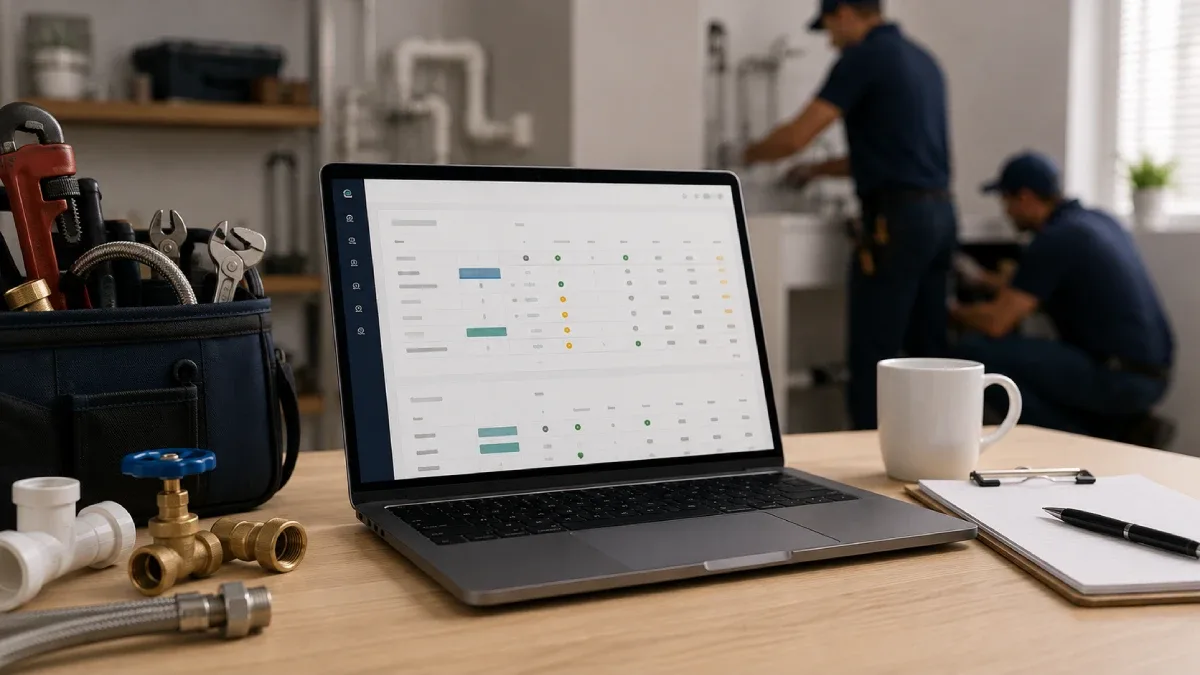
A plumbing company with three to five field technicians should generally budget about $149–$329 per month for mainstream field service software. A custom-priced, per-seat platform can push the subscription toward $400–$700+ per month once the owner, dispatcher and technicians all need accounts, while optional phone, marketing, GPS and AI products can increase the total further.
The most important detail is how vendors count users. A “five-tech team” may actually need six or seven logins after adding an owner, dispatcher or bookkeeper. That difference can move the business into a larger plan even though the number of trucks has not changed.
Pricing also changes frequently. The figures below were checked against public vendor information available in September 2026, but contractors should request a written quote showing the plan, included users, add-ons, implementation costs, contract term and renewal rate before subscribing.
For recommendations organized by team size and workflow, compare the options in FieldTech Reviews’ best plumbing software guide.
The short answer
For a 3–5 tech residential plumbing shop, these are reasonable subscription-only budget ranges:
Shop setup | Realistic monthly budget | What that budget usually buys |
|---|---|---|
3 techs with the owner handling the office | $149–$245 | Scheduling, dispatch, customer records, estimates, invoices, payments and basic reporting |
3–5 techs plus a dispatcher | $189–$329 | More user capacity, stronger automation, better reporting and customer communication |
5 techs plus owner and office staff | $245–$500+ | A larger team tier, unlimited-user plan or entry custom-priced platform |
Premium per-seat setup with add-ons | $400–$700+ | Role-based access, deeper workflows, phone or fleet tools, and more advanced reporting |
These ranges are supported by current public examples. Housecall Pro lists Essentials at $149 per month with annual billing for five users, or $189 month to month, while MAX supports eight users at $299 annually or $329 monthly. Service Fusion lists a flat-rate Starter tier at $208 per month billed annually or $245 month to month with unlimited users. ServiceM8 uses job-volume rather than seat limits, charging $79 per month for up to 150 new jobs or $149 for up to 500, with unlimited users on those paid plans.
Those examples are useful benchmarks, not interchangeable quotes. The right cost depends on job volume, office headcount, required integrations and whether the lowest displayed price requires annual prepayment.
Why published prices mislead
Software vendors commonly advertise the lowest possible price, but that price may apply to one user, annual billing or a stripped-down plan. Jobber, for example, says its range starts at $29 per month when billed annually, while its broader product range extends much higher for large teams and additional functionality.[^9]
A plumbing shop can therefore choose a product with a low starting price and still discover that the useful plan costs two or three times more. QuickBooks sync, automatic reminders, job costing, two-way texting and advanced reporting are frequently reserved for mid-level or higher plans.
Ask these questions before comparing two headline prices:
Does the displayed rate require a full year paid upfront?
How many office and field users are included?
Are technicians charged as full users or lower-cost field users?
Are estimates, recurring jobs, QuickBooks sync and job costing included?
Does the plan limit monthly jobs, messages or automations?
What will the subscription renew at after any introductory discount?
How pricing models work
Flat plans with user limits
This is usually the simplest model for a small plumbing company. One monthly fee includes a fixed number of users, and the business moves to another tier or pays for extra seats when it exceeds that limit.
Housecall Pro illustrates this approach clearly: Basic covers one user, Essentials covers five and MAX covers eight. As of July 2026, the published monthly prices were $79, $189 and $329 respectively, with lower effective monthly rates of $59, $149 and $299 on annual billing.
For a team with three technicians and one owner, a five-user plan leaves room for one additional office login. A shop with five technicians plus an owner already needs six users, so the five-user price no longer represents its real cost.
Per-seat pricing
A per-seat platform charges according to the number or type of logins. This can work well when only a few people need full access, but costs scale directly with headcount.
FieldPulse currently describes its pricing as seat-based and custom-quoted; full-access seats cover functions such as scheduling, dispatching, customer management, invoicing, estimates, pricebook and reporting. Independent 2026 estimates put FieldPulse’s packages at roughly $65–$115 per user per month, although these figures are not vendor-confirmed and must be verified in a quote.
At those reported rates, six full-access accounts could mean approximately $390–$690 per month before add-ons. A fair quote comparison should therefore identify which employees genuinely need full access and whether technicians can use a less expensive field-only seat.
Flat rate with unlimited users
An unlimited-user plan can become attractive once the company adds dispatchers, estimators or part-time office employees. Service Fusion publicly lists unlimited users on its plans, with Starter priced at $208 per month on annual billing or $245 month to month.
The trade-off is a higher starting price. A three-person team may pay for capacity it does not use, while a seven-person company may save money compared with adding individual seats elsewhere.
Pricing by job volume
ServiceM8 follows a different model. Its paid tiers allow unlimited users but cap the number of new jobs each month: $29 for 50 jobs, $79 for 150, $149 for 500 and $349 for 1,500 or more.
That can be economical for a team with several users but predictable call volume. However, a high-volume service shop should estimate its busiest month—not its annual average—so it does not select a tier that is too small during peak periods.
Quote-only pricing
Some vendors require a demo before revealing current prices. Workiz had moved its Standard, Pro and Ultimate plans to “Request pricing” by August 2026, while FieldPulse also uses custom quotes.
Quote-only does not automatically mean overpriced, but it makes comparison harder. Ask for a line-item proposal and make sure optional products are separated from the core subscription.
Representative price points
The table below shows public or clearly labelled pricing signals relevant to a small plumbing shop. It is not a ranking, and exact feature availability should be reconfirmed before purchase.
Platform example | Pricing model | Useful small-team benchmark | Important limitation |
|---|---|---|---|
Housecall Pro | Tiered by included users | Essentials: $149 annually or $189 monthly for five users | A five-tech shop may need a sixth login for the owner or dispatcher |
Housecall Pro MAX | Larger team tier | $299 annually or $329 monthly for eight users | Higher price may include capacity or features a small shop does not need |
Service Fusion Starter | Flat rate, unlimited users | $208 annually or $245 monthly | Higher entry cost, with optional services potentially priced separately |
ServiceM8 Growing | Job-volume pricing | $79 monthly, unlimited users, up to 150 new jobs | Cost depends on job volume rather than technician count |
ServiceM8 Premium | Job-volume pricing | $149 monthly, unlimited users, up to 500 new jobs | Confirm platform and workflow fit, not just the attractive seat economics |
FieldPulse | Custom, seat-based | Public price unavailable; independent estimates suggest about $65–$115 per user | Reported figures are not official and add-ons can materially change the quote |
The wide range explains why there is no single “average” plumbing software cost. A five-tech company can pay less than a three-tech company if it chooses job-volume or unlimited-user pricing, while a per-seat product can become expensive before any premium modules are added.
Costs beyond the subscription
Payment processing
Card and ACH processing charges are often separate from the software subscription. They should appear in the total-cost analysis, but not all processing expense is incremental: the company would probably pay a processor even without field service software.
Compare the new platform’s rate against the company’s current effective rate. The meaningful cost is the difference, adjusted for any benefit from faster collections, automatic card-on-file payments or fewer unpaid invoices.
Implementation and data migration
Self-serve products may have little or no mandatory setup fee. More configurable platforms can charge for onboarding, data migration, pricebook setup and training. Independent estimates for FieldPulse, for example, cite onboarding ranging from $500 to $5,000 depending on company size and migration complexity, but the vendor does not publish a standard amount.
Request a fixed scope covering:
Customer and job-history import
Pricebook creation or cleanup
QuickBooks mapping
Forms and workflow configuration
Office and technician training
Go-live support
Phone, texting and AI
Built-in calling, call recording, automated booking, AI receptionists and extra message bundles can significantly raise the monthly bill. These tools may still be worthwhile if they capture calls that would otherwise be missed, but they should be evaluated as separate investments rather than treated as free parts of the core plan.
Fleet, GPS and inventory
GPS tracking, vehicle hardware and advanced inventory can also be add-ons. FieldPulse reviewers report fleet tracking near $30 per vehicle per month, although that number is third-party information and should be confirmed directly.
For five trucks, even a modest per-vehicle charge becomes a noticeable annual expense. Confirm hardware charges, installation costs, replacement policies and minimum terms.
Annual contracts
An “annual monthly price” usually means the annual total is prepaid or subject to a 12-month commitment. Jobber explains that annual prepaid subscriptions are paid for the full term at the start and are non-refundable, while its one-year commitment option remains billable through the end of the term if cancelled early.
Calculate the first-year cash requirement, not only the displayed monthly equivalent. Also ask whether the discount continues at renewal.
A realistic budget
A useful budget separates mandatory software from optional growth products.
Lean 3-tech shop
Assume three technicians and an owner who dispatches and invoices. Four total accounts fit inside many five-user plans.
Core FSM subscription: $149–$245 per month
Optional communication or accounting add-ons: $0–$100
Estimated recurring software budget: $149–$345 per month
This setup should prioritize reliable scheduling, estimates, invoices, payment collection and customer history. Advanced marketing and enterprise analytics can wait.
Established 5-tech shop
Assume five technicians, an owner and one dispatcher. This company needs six or seven accounts, which may require a larger tier, an unlimited-user plan or a custom seat mix.
Core FSM subscription: $245–$500+ per month
Optional phone, GPS, AI or marketing products: $50–$250+
Estimated recurring software budget: $295–$750+ per month
The higher range is justified only if the company uses the added functionality. Buying an advanced system without changing workflows creates expense, not ROI.
How to calculate ROI
The simplest decision is not “Is $300 expensive?” It is “Can this platform recover more than its net monthly cost?”
Use this calculation:
Net monthly software cost = new subscription + add-ons + monthly allocation of setup fees − software being replaced
Then calculate:
Extra completed jobs needed to break even = net monthly software cost ÷ contribution margin per completed job
Consider an illustrative example:
New platform: $329 per month
Add-ons: $80 per month
Setup fee allocated over 12 months: $100 per month
Existing tools eliminated: $75 per month
Net monthly cost: $434
Contribution margin per completed service job: $180
The platform must create or protect roughly 2.4 additional completed jobs per month to cover its cost. That could come from answering missed calls, reducing no-shows, scheduling an extra job into open capacity or following up on unsold estimates.
The example is not a universal benchmark. Each plumbing company should use its actual gross margin, close rate and service volume.
Features worth paying for
For a 3–5 tech team, the features most likely to create measurable value are:
Fast dispatching: fewer scheduling gaps and less windshield time
Mobile estimates and invoices: technicians close and bill jobs without office re-entry
Automated reminders: fewer no-shows and forgotten appointments
QuickBooks synchronization: less duplicate data entry and fewer reconciliation errors
Job costing: visibility into labor, material and gross margin by job
Estimate follow-up: recovery of approved work that would otherwise be forgotten
Card-on-file and automatic payments: faster collection for memberships and recurring service
Advanced dashboards are useful only when someone reviews them and changes decisions. AI receptionists are valuable only when missed-call volume is high enough to justify the fee. Fleet tracking matters more once routing and vehicle accountability are real operational problems.
Choosing the right budget
Start by listing the workflows that currently cost time or revenue. Then shortlist plans that solve those specific problems without paying for capabilities the team will not use in the next 12 months.
A practical buying process looks like this:
Count every person who needs a login, not just field technicians.
Record monthly job volume, including the busiest season.
Identify non-negotiable features such as QuickBooks sync, memberships or job costing.
Request written quotes using the same team size and requirements.
Compare first-year cost, renewal cost and cancellation terms.
Run the break-even calculation using the company’s contribution margin.
Test the dispatcher and technician workflows before committing.
The cheapest plan is not automatically the best value, and the most feature-rich platform is not automatically the safest choice. For a 3–5 tech plumbing operation, the right software is normally the least expensive option that removes the team’s current bottlenecks and still leaves room to add office users.
To compare specific platforms by features, business size and use case, visit the FieldTech Reviews guide to the best plumbing software.