
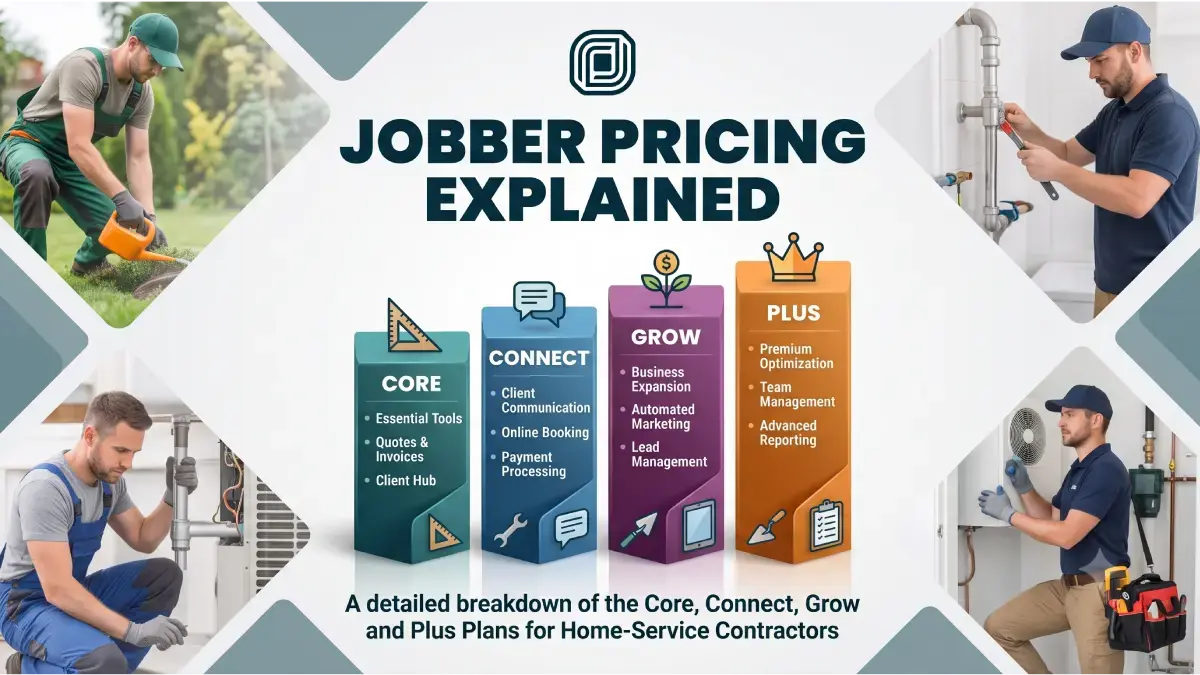
Jobber is one of the most popular field‑service platforms for home‑service contractors—HVAC, plumbing, electrical, cleaning, and general contracting—because it bundles scheduling, quotes, invoicing, CRM and payments into one tool. But Jobber’s pricing page makes it clear that what you pay depends heavily on team size and plan choice, not just a single “from $X/month” number.
In 2026, Jobber offers four core plans—Core, Connect, Grow and Plus—with a team‑size slider and first‑year discounts on annual billing. This article walks through those plans using the real pricing shown in your screenshots, then maps them to three growth stages (Starter, Grow, Scale) so home‑service contractors can see how costs change as they add more techs.
Internal links to add near the top:
Full feature breakdown: Jobber review on FieldTech Reviews
Trade‑wide comparison: Best general contractor software
How Jobber’s pricing page is structured
Jobber’s pricing page asks you to “Try Jobber for free now. Pick a plan later.” and uses a team size selector with options like “Just me”, “2–5 people”, “6–10 people”, and “11–15 people”.
For each team size, three plans are shown side‑by‑side:
Core – entry‑level plan for building and running the business on a simpler platform.
Connect – recommended plan for automating tasks and turning repeat work into 5‑star visits.
Grow – higher tier for contractors who want to win bigger jobs and grow more profitably.
For larger teams (from 6 users upward), a fourth plan appears:
Plus – recommended for firms wanting to scale complex operations with greater control across jobs, crews and revenue.
Pricing is shown with annual billing (discounted first year, then higher renewal), and all prices are in USD, with taxes extra where applicable.
“Just me”: pricing for solo operators (Core, Connect, Grow)
At the “Just me” setting, Jobber shows three plans, each for 1 user:
Grow – around $105/month for the first 12 months when billed annually, then a higher standard annual rate thereafter.
Connect (recommended) – around $70/month for the first 12 months on annual billing, then a higher renewal rate.
Core – around $21/month for the first 12 months on annual billing, then a higher standard rate.
All three plans include a free trial; the discount messaging highlights “save up to $3,600 on your first year with Jobber” when using annual billing.
Key differences at “Just me”:
Core focuses on basics: quotes, jobs and invoices, client communication, and simple workflows.
Connect adds more automation (scheduled client reminders, standardized job documentation with checklists, quote and invoice follow‑ups, QuickBooks Online sync, and time/expense tracking).
Grow layers on visual and financial customization (customizable quotes with rich visuals and forms, optional line item upsells, profitability and job‑costing tools, stronger automation and workflow features).
For a solo contractor, Core is the “Starter” option in practice, Connect is the entry to automation and QuickBooks, and Grow is the “Scale yourself” tier when you’re chasing bigger jobs and more profitability.
Internal link: in this section, point readers to the Jobber tool page for a deeper feature breakdown.
2–5 users: pricing when you add a small team (Connect, Grow, Plus)
When you slide the team size to 2–5 users, the pricing panel switches to Connect, Grow, Plus, each including 5 users with annual billing:
Connect – around $105/month for the first year, then a higher renewal rate (the panel notes “for 12 months, then $149/mo”).
Grow – around $161/month for the first year, then a higher renewal rate (shown as “for 12 months, then $219/mo”).
Plus (recommended) – around $280/month for the first year, then a higher renewal rate (shown as “for 12 months, then $399/mo”).
All three list “includes 5 users” and are designed for crews where technicians, office staff, and an owner all need logins.
Feature highlights at 2–5 users:
Connect includes all Core features plus automation (client reminders, work requests, standardized documentation, quote/invoice follow‑ups, QuickBooks sync, time and expense tracking).
Grow adds more advanced estimating and profitability tools, upsell suggestions with optional line items, and more powerful workflow automations.
Plus layers on advanced reporting and visibility, deeper use of Pipeline, and more control across jobs and crews, plus priority support and access to premium add‑ons and onboarding.
For a small home‑service team, Connect is the realistic “Grow” stage (basic automation and QuickBooks), Grow is “higher automation and job‑costing”, and Plus is the “Scale” stage when you’re coordinating multiple techs, routes, and revenue streams.
Internal link: from this section, link up to Best general contractor software to show how Jobber’s small‑team pricing compares with other contractor platforms.
6–10 and 11–15 users: scaling into Plus
At 6–10 users, the annual pricing panel shows:
Connect – around $161/month (includes 10 users).
Grow – around $210/month (includes 10 users).
Plus (recommended) – around $315/month (includes 10 users).
At 11–15 users, the prices step up again:
Connect – around $210/month (includes 15 users).
Grow – around $280/month (includes 15 users).
Plus (recommended) – around $371/month (includes 15 users).
In both ranges, the same pattern holds:
Connect is the automation/QuickBooks tier for teams that want to standardize work and communication.
Grow brings more control over profitability, upsells, and workflows.
Plus is the “Scale” tier with greater visibility, deeper reporting, tight integration with Pipeline, and more onboarding and support.
For contractors with 6+ users (multiple crews plus office staff), Plus pricing reflects the need to coordinate many moving parts and maintain accurate, real‑time data across jobs and revenue.
Add‑ons: Marketing Suite, Receptionist and Pipeline
Below the main plans, Jobber’s pricing page highlights three paid add‑ons:
Marketing Suite – $79/month
“Put your marketing on a plan.” Helps you know what to promote, when to reach out, and where to show up, with a customized marketing plan built around your business.
Jobber AI Receptionist – $29/month
Never leave a call or text unanswered again; Receptionist steps in when you’re busy, keeping personal time protected while capturing leads, questions, and booking jobs.
Pipeline – $49/month
Sales add‑on that keeps leads and quotes organized in one clear view, helping you move opportunities forward toward booked jobs.
These add‑ons are priced on top of your base plan, so your real monthly cost becomes:
Base plan (Core / Connect / Grow / Plus)
Choosing the right Jobber plan for your home‑service business
Given the real plan names and prices, you can think in three stages—Starter, Grow, Scale—mapped onto Jobber’s official plans:
Starter stage → Core (Just me)
Best for solo operators who need basic scheduling, quoting and invoicing.
Lowest cost (around $21/month first year on annual billing) but limited automation and no advanced features.
Grow stage → Connect and Grow (2–5+ users)
For 2–10 person teams who rely on QuickBooks, automated reminders, and more structured workflows.
Connect at 2–5 users (~$105/month first year) is often the default; Grow (~$161+/month) adds profitability and upsell tooling.
Scale stage → Plus (6+ users)
For multi‑crew operations and larger general‑contractor firms that need deeper control and reporting.
Plus pricing ranges from about $280/month (5 users) to $371/month (15 users) in the first year on annual billing.
Internal link reminders:
Use your Jobber review to give readers detailed pros/cons and screenshots.
Link to Best general contractor software so they can see where Jobber sits among other FSM tools for contractors.